Mojo's blog banner

Category: Software and Systems

  • “Why didn’t you just …”

    Here’s one post that’s equally valid for bridge and computer programming.

    Have you ever accomplished some task and had someone say “Why didn’t you just” do it some other way? Usually their suggestion is assumed to be the obvious or simpler way to do something.

    In bridge, maybe you misplayed the hand, or chose a different lead on defense. In software, there’s always some tool or technique that would make the job easier.

    The problem with this question is that it’s essentially rhetorical. My answer almost always falls into two camps: either “I didn’t think of that,” or “I didn’t know about that.”

    On rare occasions, I actually did know about some alternative method to use, and I rejected it after investigation. That’s quite the exception.

    At the bridge table, this takes the form of choosing a line of play that didn’t work on this hand; everyone who chooses the other way is going to get a better result. Most of the time my choice is based on which way has the best odds of being right, but often enough I either don’t know the odds, or have misinterpreted the information I have at the table. Sometimes it’s a toss up, and sometimes I’m acting on a hunch. On rare occasions the opponents have done something clever enough to mislead me!

    In software and systems, there’s even a famous acronym that covers this: T.I.M.T.O.W.T.D.I. (from Perl) which means “There is more than one way to do it.” Often enough, it doesn’t matter which way you choose. Sometimes a different approach is simpler, more understandable, more efficient, more something. Often there are so many different ways to do something that you just have to pick one and go with it.

    My point is this: Most of the time when you ask this question, you should already know the answer. The question accomplishes little aside from the embarrassment of the recipient.

    It’s for this reason that I always dread presenting my work in software, and why code reviews are so painful. It’s nearly impossible to present your own code to a group of programmers without hearing someone say “why didn’t you just …?” Once in a while you will have a reason for rejecting an alternative, but most of the time you just didn’t think of it, or didn’t know about the better alternative.

    Here’s what I have to say about that.

    When you’re at the bridge table, and you see your partner horribly misplay a hand, give them the benefit of the doubt. Most of the time it’s best to say nothing, but perhaps, “Wow that was really bad luck,” or “Oops, I guess that didn’t work!” Laugh it off and go on to the next one.

    In software, things are a little more serious. If you find yourself shaking your head at some technique, design, or code, resist the urge to say “Couldn’t you just refactor the Gizmo object with the Framistat library?”

    Instead, try something like, “Hey, I bet if you included the Framistat library we could make the Gizmo object a lot cleaner.” That shows that you already understand that I either didn’t know about the Framistat library or didn’t think of using it. It helps to put a positive spin on the conversation.

    In the software business there are so many tools and techniques that it’s often impossible to understand and research all of the alternatives. Having one that works is more valuable than anything else. Discovering true bugs and faults should be the goal. (That, and not having hard tabs in your source code. 🙂 )

    Once at the bridge table after making a beatable contract, one of my opponents turned to her partner and said, “Why didn’t you lead a club?”

    He responded loudly, “Because your partner is not God!”

  • Ruby gem problems around libv8, therubyracer, mac vs. linux, native extensions

    I haven’t done a techie blog post for a while, and this “solved problem” keeps raising its head at work, so here goes.

    Here’s the situation:

    • A ruby web app
    • Develop on Mac OS X
    • Deploy on Linux
    • Using bundler to control gem versions
    • Using therubyracer and libv8

    You build your app on your Mac, install your bundle of gems using bundler, and your tests run fine. Now you deploy the app to your production system, and there’s this error:

    Some gems seem to be missing from your vendor/cache directory.
    Could not find libv8-3.11.8.13 in any of the sources

    Or worse, this error:

    Installing therubyracer (0.11.3) with native extensions 
    Gem::Installer::ExtensionBuildError: ERROR: Failed to build gem native extension.
    
            /usr/local/bin/ruby extconf.rb --with-ruby-include=/usr/src/ruby-1.9.3-p392
    checking for main() in -lpthread... yes
    *** extconf.rb failed ***
    Could not create Makefile due to some reason, probably lack of
    necessary libraries and/or headers.  Check the mkmf.log file for more
    details.  You may need configuration options.
    
    [...]
    /usr/local/lib/ruby/gems/1.9.1/gems/libv8-3.11.8.13-x86_64-linux/ext/libv8/location.rb:15:in `initialize': 
    Permission denied - /usr/local/lib/ruby/gems/1.9.1/gems/libv8-3.11.8.13-x86_64-linux/ext/libv8/.location.yml (Errno::EACCES)

    If you’re careful with your production deploys, then

    • Your app does not run as root on the production servers, and
    • Your app’s gems are cached in vendor/cache, thus not pulling gems from rubygems.org, or anywhere else.

    Here’s the thing with libv8: it’s designed to be optimized for each platform where it runs, so the gem has native extensions with different versions for Mac OS X and Linux. Your gem cache needs to have both native versions of the gem in vendor/cache to satisfy the two platforms. When you bundle the gems on your development machine it doesn’t build the linux native version (obviously).

    When you deploy the app on Linux, bundler fails because it doesn’t find the Linux custom gem.

    Under the deployment conditions I described, trying to build libv8 fails trying to write to the system gems, hence the permission error I mentioned. (I have no idea what therubyracer is doing trying to write into the libv8 gem!)

    So here’s how to solve the problem.

    First, on your development system, do the normal bundle install, verify that the darwin (Mac OS X) version of libv8 is found in vendor/cache:

    $ ls -l libv8*
    -rw-r--r-- 1 mjones mjones 33652224 2013-02-26 10:16 libv8-3.11.8.13-x86_64-darwin-11.gem

    Now commit your changes with the new gem file, and push it to your git repository.

    Next, connect to a handy Linux server. Install rvm (or rbenv) and your current Ruby, with a nice clean gemset. Be sure you have bundler installed.

    (You may need some bundle options):

    bundle config build.linecache19 --with-ruby-src=/usr/src/ruby-1.9.3p392
    etc.

    Clone your git repo, and do a bundle install. Using rvm (or rbenv) means you’ll have local copies of ruby and your gem set, and that should avoid any permissions problems.

    Now check vendor/cache, and you should have a Linux version of the libv8 gem available. To deploy on both platforms, keep both in vendor/cache. Bundler has been good about keeping both versions around and not trying to clean the one you’re not using:

    $ ls -l libv8*
    -rw-r--r-- 1 mjones mjones 33652224 2013-02-26 10:16 libv8-3.11.8.13-x86_64-darwin-11.gem
    -rw-r--r-- 1 mjones mjones  3144704 2013-02-26 11:29 libv8-3.11.8.13-x86_64-linux.gem

    For good measure, I also often include the generic version of the gem, downloaded manually from rubygems. Add your updates to your git repository and push them to the remote origin.

    You should find that your app deploys successfully on Linux now.

  • Moving Whiteoaks.com — Building a mail server

    Don’t do this. This is stupid. Running a mail server is a pain in the ass.

    If your startup or family or organization needs a domain and email, just point your domain at Google and use their great mail, calendar, and shared documents tools. Avoid all the battles with spammers, black lists, hackers and security updates.

    So why would I do this? Maybe because I always have — I’ve had a server connected to the net since 1995. I enjoy being master of my domain(s). In a perverse way it’s a challenging hobby as well.

    My server for whiteoaks.com lives in the linen closet at the top of my staircase. It really doesn’t get enough cooling, and when the processor gets too busy it complains about the heat. The version of Linux on it is old and long unsupported. I’ve been having to build package upgrades from source — like gcc, apache, php (4 and 5), and mysql.

    I know I’ve needed to build a new server, but I’ve been dreading putting together a machine and painstakingly migrating my services, users and domains to a new environment.

    Meanwhile Jane and I have discovered the joys of streaming Netflix and Amazon to the home theater. That means sharing my server’s DSL line to download TV and movies — not great for either service.

    I pay Verizon about $95 per month for a commercial DSL account with 3 mbps download and 768 kbps upload. For a server, 768 kbps is pretty slow. Moving to the cloud would give my server cloud-sized speed as well, and let me switch to a consumer internet account at home — cheaper and probably faster.

    So it’s really long past time that I moved out of my linen closet and into the cloud.

    Much techie stuff follows. Feel free to skip down!

    I spent several hours pricing out servers from Rackspace and others, trying to figure out what it would cost me. Right now I run everything — email, DNS, a dozen or so web sites — from one eight-year-old server with 1GB of ram and 40GB of disk.

    I wanted to upgrade my mail service to use Zimbra, and I knew it would require its own dedicated server with 1GB of ram. On Rackspace, that’s “flavor 3” and would cost me about $40 per month.

    Here’s why I wanted Zimbra: It’s available in a free open source community edition. It’s built on top of all the open source packages I was already using and familiar with: Postfix, Clamd, Spamassassin, MySQL. Zimbra provides a first-class web mail client that would enable my users (mostly family) to do things like change their password and set up filters to route mail into folders.

    Over my vacation, I did an experiment. (I did a lot of this using wi-fi on a Delta flight. A first-class seat makes for a delightful work environment!)

    I spun up a 1GB Rackspace server using Ubuntu 10.04LTS as the base. I set up a subdomain “rs.whiteoaks.com” using Rackspace’s excellent DNS support. I made an MX record to point to the new machine mail.rs.whiteoaks.com. Rackspace DNS support even let me set the reverse DNS to resolve mail.rs.whiteoaks.com to this server — essential on an email server!

    (Rackspace DNS is so good that I can easily drop my own BIND DNS server, with no regrets. Let them deal with DNS security!)

    On the new server I went through the Zimbra install script, interrupted only to install a couple of missing packages, and found myself a few minutes later with a genuine working email server that would send and receive email.

    As an experiment, I made an image of that server, destroyed the server, and created one from the image. It came up okay, but I couldn’t connect IMAP clients to it, such as my Android phone email. (I later realized that the self-signed SSL certificate created during the Zimbra install needed to be recreated for the new IP address.)

    Zimbra does not include a first-class mailing list manager. I host mailing lists for several astronomy clubs, OTASTRO, Bridgemojo and such — not huge lists, but as large as a few hundred members.

    The best non-commercial mailing list manager for many years has been Mailman, supported by the community at http://list.org. I’ve always used
    Mailman for my lists.

    This led to much teeth-gnashing as I started researching how to integrate Zimbra and Mailman.

    Zimbra really doesn’t like to have anything else running on its server. I understand this. It’s not just a control-freak thing, it means they can build and create an easily-installed turnkey box.

    This has led to two strategies for integrating Mailman and Zimbra: the cowboy strategy of running Mailman on the Zimbra server alongside Zimbra, and the officially supported strategy of running Mailman on its own separate server, with a Zimbra-provided API hook for better integration.

    I knew I was going to have another server for my web services, so I thought I would start out with the “separate server” strategy. Installing Mailman is simple enough, but then it has to be knitted carefully into an Apache web server as well as Postfix.

    This quickly began to seem like the more fragile and complex of the two solutions. It would require patching Mailman and Zimbra to support Zimbra’s API to manage all of the required mailing list aliases. It also will not support multiple domains, which makes that strategy dead on arrival.

    So back to the cowboy approach, knit Mailman into the Zimbra server, hopefully without making too much of an impact on Zimbra’s ecosystem.

    This took some doing, but was a good project for a Sunday while watching the final round of the Masters.  🙂

    I won’t get directly into the details here. I know there will be sysadmins curious about the problems I encountered and solved. None of the “how-tos” and forum threads covered every problem, and many of them were several years old. I owe it to the community to write up as much of my problems and solutions as I can. I promise to do that in a follow-up blog post.

    The final result is a thing of pride and beauty. Here’s a little of what I did.

    Mailman needs to be knitted into two services: Apache (web service) and Postfix (mail service). On Zimbra’s box, Zimbra owns both of these.

    The web service knit turned out to be reasonable and elegant. The solution I liked is to move the Zimbra server out of the way to another port (81 in my case).  Zimbra provides a local configuration flag to change that port that will be preserved in an upgrade. Then I installed a server-wide Apache package and configured it for Mailman in a virtual host. In another virtual host, I set up an http proxy that will forward to Zimbra’s apache instance on localhost port 81.

    With this setup, the Mailman web users will find the familiar Mailman applications at lists.rs.whiteoaks.com, and the Zimbra users will find their email applications at mail.rs.whiteoaks.com.

    The second knitting job requires patching Mailman into Zimbra’s owned and operated Postfix instance. There are only three spots that need to be patched in the Postfix main.cf configuration file, alias maps, virtual alias maps, and mydestination. Patching them works fine.

    But here’s the rub: every time Zimbra restarts Postfix it will rebuild main.cf from its configuration. This is annoying at first, and brilliant in retrospect. By setting Zimbra’s local configuration variables, the Mailman hooks will be preserved not only through restarts, but through package upgrades of Zimbra. (Details forthcoming, I promise.)


    A few days ago I began forwarding my main email inbox to the mail server on my Zimbra instance, and yesterday I migrated the mailing lists for Bridgemojo.  Both are working swimmingly.

    A clean untrained Spamassassin lets through a lot of marginal junk mail, but I was delighted to learn that clicking “Junk” in Thunderbird and moving spam to the Junk folder would automatically train Spamassassin.  Likewise finding good email in the Junk folder and clicking “Not Junk” would also train Spamassassin.

    I can now use “push email” from the Zimbra IMAP server on my Android phone. My old “wu” imapd servers could not support push along with a desktop email client without getting hopelessly tangled. The old servers are also developing a habit of hanging and locking up changes to the mailbox until I find the problem and kill it.

    I knew this would be the hardest part of migrating to the cloud. Moving the web services should be a piece of cake. One additional 512MB server should handle those easily, especially with no mail services chewing up memory.

    Before publishing this, I moved mojo.whiteoaks.com to my cloud server. Life is good. 🙂

  • Finding the test that corrupts the suite

    (Finally a tech blog post …)

    Stop me if you’ve heard this one before! 🙂

    The web application has excellent coverage in unit tests and integration tests that run continuously, but some time ago (weeks actually) some number of tests began failing with strange state errors. In our case, out of 138 test classes and 1176 tests, 82 would error out.

    The errors were all strange platform related things, like:

    org.springframework.transaction.IllegalTransactionStateException: Pre-bound JDBC Connection found! JpaTransactionManager does not support running within DataSourceTransactionManager ...

    Or:

    java.lang.NoSuchMethodError: org.hibernate.cache.CacheException.

    Naturally the failing tests all work when they’re run individually. Heard that one before?

    I started out trying different combinations of tests. I could make a list of all the running test classes by grepping for “^Running ” in the test output log. I started out using the maven option “-Dtest=TestClassOne,TestClassTwo,…” to try tests in different combinations. Most of the time, the erroring tests would work perfectly. When they didn’t, the errors would occur in different tests or be different errors.

    The failure now was non-deterministic! One of the difficulties is that Maven/Surefire would run the tests in whatever order it wanted to. That approach wasn’t going to work at all.

    From studying the Spring references a little, I understood that Spring would cache the application contexts created for unit tests in order to improve the run time of tests. Wiring up a large application is slow when it’s done once — multiply that by 138 test classes and a slow test suite becomes glacial.

    Clearly some test class being run prior to the error tests was corrupting the cached Spring context, and ruining the downstream environment. Spring provides a @DirtiesContext annotation specifically to label tests that require Spring to reload the application context. The problem is finding the test doing the dirty work!

    I needed to make the test runs deterministic — run the test classes in the same order, and start eliminating classes one at a time from the top of the order. Surefire doesn’t have a property to exclude a test on the command line, so it required editing the POM file to exclude each test class in order from the top.

    It was a tedious task, as many hidden software problems can be. I had to keep careful track of the list of test classes, and change the <exclude>TestClassExample</exclude> element for each test run. Fortunately each test run only required about two and a half minutes. After each test with one class excluded, I would examine the final result line for any change.

    I was pretty confident that the culprit had to be an early test in the sequence, so I should only have to go about halfway through the successful test classes. Finally thirty-four classes into the list, I had my culprit.

    Ironically enough, the test class causing all the problems was named TestSpringConfigurations. It had two tests that would simply verify that all of our wiring would successfully produce an application context. Marking the tests with the @DirtiesContext annotation made all of the following error tests run successfully.

    Actually the @DirtiesContext annotation wasn’t necessary: The tests themselves included one fatal line: context.close(). By not closing the contexts after the test load, the cached application context was just fine for all the following tests.

    One might argue that this class is pointless when run as part of a large test suite, since earlier tests have already loaded the application context. When Surefire arrives at TestSpringConfigurations, it is only using the already-cached context rather than loading a new one. Good point. But having the test in the suite also gives us a quick way to verify changes made to the application context configuration without running the whole set.

    And finally the punch line: When the Spring configuration errors were finally vanquished, four test failures were revealed that were legitimately testing application code. Those test failures were completely masked by the Spring context corruption error.

    Oh yes, that TestSpringConfigurations class has been in the suite for many months. Why did we only recently find it causing this corruption? No one here is quite positive, but the only major platform change we can point to is a switch from Java 5 to a Java 6 runtime. Maybe that triggered the original problem, and maybe sometime I’ll be interested enough to test that proposition.

  • Perfect wallpaper from digital photos using Linux and Netpbm

    The world is full of wallpaper managers for every operating system out there. I enjoy wallpapers taken from some of my digital photography, such as this trip to Yosemite last year.

    On nice modern monitors, you can really enjoy the full resolution of your pictures. Jane and I just replaced our old Viewsonic CRT monitors with some nice Dell 23-inch LCD models.

    Immediately I saw that I needed to regenerate our collection of wallpaper photos to match the aspect ratio and higher resolution of our new monitors. I admit to being a stickler for my wallpaper photo albums. I have these requirements:

    • I want to scale and crop the photos to fill the screen exactly, no tiling or stretching.
    • I want no black bars, letterboxing, or distorted aspect ratios
    • I want to dim the maximum brightness of the photos so my desktop icons are still discernable

    My Canon 20D full-resolution pictures have more than enough pixels to fill the biggest screen, so I cobbled together a shell script some time ago using the PBM (Portable Bitmap) tools that have been around since probably the 80’s for manipulating images. I don’t think many of the Linux distros install the toolset by default, but they’re easily available. On Ubuntu or Debian you can install them with “apt-get install netpbm”.

    I start by making a work directory (“wallpaper” in this instance) and a subdirectory to hold the full-resolution original images, named “full”. I collect copies of my full-resolution pictures there in ~/wallpaper/full.

    Next I need to work out the transform. My original resolution images are 3504 pixels wide by 2336 pixels vertically. My monitor is 2048 pixels by 1152 pixels.

    Rather than work out the math, I just scaled an original picture to the monitor width to see how tall it would be. This command pipeline would scale a picture to 2048 pixels wide:

    jpegtopnm full/IMG_1234.jpg | pnmscale -width 2048 | pnmtojpeg >IMG_1234.jpg

    Opening that scaled image in Gimp told me that it was 2048 x 1365. That tells me that I need to crop some lines from the top and bottom of the image to fit them exactly to my monitor field. 1365 – 1152 leaves 213 lines to cut from the image. With the pbmtool “pamcut” I plan to cut 107 lines from the top of the image and give it a total height of 1152.

    So I made this shell script to process all of the photos. The plan is to read all of the files from the “full” directory, and write perfectly scaled images to a subdirectory named “2048”. I’m also going to use the “ppmdim” utility to reduce the overall brightness of the images just a little. Here is the final script, called “mkwall2048”:

    for i in `ls -1 full`
    do
    echo $i
    jpegtopnm full/$i \
     | pnmscale -width 2048 \
     | pamcut -top=107 -height=1152 \
     | ppmdim 0.8 \
     | pnmtojpeg >2048/$i
    done

    This loops through every file in the “full” directory, putting the filename in variable $i. The rest of the script is a pipeline that feeds the image through five different tools from the Portable Bitmap collection, as follows:

    1. jpegtopnm converts the input file to a portable “any” map, then feeds it to stdout
    2. pnmscale scales the image to a width of 2048 pixels, preserving the aspect ratio
    3. pamcut slices off the top 107 lines, and preserves the next 1152 lines of the image
    4. ppmdim reduces the brightness of the image by 20% (80% of the existing brightness)
    5. pnmtojpeg converts the portable bitmap image back to a JPEG file

    I’ve adjusted this script using the same process to make perfect wallpapers for my laptop monitors and desktops at work. It’s a real treat having a slideshow of my favorite photography available behind my work.

  • “Bean Validation” Emmanuel Bernard

    Registration lobby at Caesar's Palace
    Registration lobby at Caesar's Palace

    Notes from TheServerSide Java Symposium March 2009

    What’s the point of a bean validation framework? I’ve been wondering that for a while now. Emmanuel points out that it’s mostly to keep from repeating yourself in code.

    Validation itself is obvious … keep crap out of the database, apply constraints to data fields, give feedback to users.

    Where do we apply validation constraints? Take a typical application stack:

    client -> presentation layer -> business layer -> data access layer -> database

    He begins by giving several examples of how constraints are applied to day, down to the DDL in the database which might specify a column length and a “not null” constraint. These constraints are typically duplicated all the way up the application chain, and really bad when the constraints don’t agree!

    He proposes a uniform way to express a constraint, a standard way to validate constraints, and a bridge for constraints out of Java land, exposing constraints to the outside world.

    Annotations are the key, extending the type system, right next to the class definition. Hence JSR 303 for bean validation. Example field annotations for validation:

    @NotNull
    @Size(max=30, message="longer than {max} characters")

    The spec also calls for validating subsets of data fields by specifying groups, or partial validation. The spec defines groups by using interfaces. Clumsy, but workable.

    Custom constraints can be built out by creating a custom annotation with an expressive name, extending the @Constraint type. You can compose a group of existing validators from the library into a new annotation.

    (So far I’ve only been a consumer of annotations. Maybe soon it will be time for me to start creating them as well. I usually try to avoid meta-programming, even though it can be fun.)

  • “Building Next-Generation Web Applications with the Spring 3.0 Web Stack” Jeremy Grelle

    Notes from TheServerSide Java Symposium March 2009

    Jeremy is going to help us battle complexity in web applications. (It’s hard to find a web framework that isn’t its own layers of complexity.) He’s the lead for Spring Faces, Spring JavaScript, and a JSF 2.0 expert group member, and he’s a former “rock star.”

    The Spring Web stack is a collection of open source projects that provide infrastructure for developing and running Java web applications. You can pick and choose the pieces you need, and it works on any server platform.

    Spring Framework and Spring MVC are the common foundation. On top are Spring Web Flow, Spring JavaScript(!), Spring Security (formerly Acegi), and on top of that, Spring Faces (JSF integration support) and Spring BlazeDS Integration (brand new, integrates Flex clients with the back end).

    Here are some new features being introduced with Spring 3.0.

    Spring Framework and Spring MVC

    The new support that I really like is a URL paradigm that acts more like RESTful web services. URLs become meaningful, and identify a heirarchy right into your domain model.

    URL examples:

    • /hotels would render a list of al hotels
    • /hotels/westindiplomat would give hotel details
    • /hotels/westindiplomat/bookings a list of bookings
    • /hotels/westindiplomat/bookings/4325324 a specific booking.

    Query variables become less significant, and primarily input for algorithms. They tend to get ignored by proxies, and often abused.

    The key to these RESTful URLs are URI Templates containing variable names, for example /hotels/{hotelId}. Supported in Spring 3.0 with the @PathVariable annotation, which allows you to use URI templates in MVC.

    This is really nice! Controlling URLs nicely is a frequent complaint of mine in typical Java servlet frameworks. Adopting RESTful URL patterns is friendly, readable, and makes a lot of sense. Cut down the use of parameter variables, and put the domain IDs right into the URL path.

    He also showed new view features for content negotiation, new views like and RssFeedView, and ways to support all four standard HTTP verbs from the client (PUT and DELETE as well as GET and POST). (Now you can use <spring:form method=”delete”/> for instance.)

    Spring JavaScript

    Spring’s Ajax integration library, builds upon the Dojo toolkit. The “key value proposition” builds in usage best practice, makes Dojo easy to use for common Ajax scenarios. (I thought Dojo was already pretty easy to use. Do we need another layer of abstraction?)

    Spring Web Flow

    Web flow is primarily a framework for implementing user dialogs, guiding a user through a business process. Things that  are session-related and stateful. Key feature is a high-level flow definition language using XML and EL. Plugs into Spring MVC. (Not sure I see the value here yet.)

    Spring BlazeDS Integration

    Newest project being introduced with 3.0. Connects Flex client to Spring-managed services using BlazeDS transports. They claim it makes Flex natural in a Spring environment. Integrates Spring Security to secure Flex apps. Provides support for real-time data push using Spring Integration.

    Examples

    He started walking through a new-style @Controller object with the @RequestMapping annotation marking one of their flexible controller methods. The <form> tags in his view are making use of the newly visible http verbs, like DELETE to remove a hotel booking.

    Demonstrated some of the Ajax features of the Spring Javascript library. Uses the tiles API to only render the part of the page requested.

    The walkthrough of the actual @Controller code with support for new features looked clean, incremental, and going in just the right direction incrementally.

    So are we just adding complexity, or making anything simpler and easier? I don’t think I’ll know until I try it out.

  • “Building Server Platforms with OSGi and Equinox” Rob Harrop

    BIRTExchange at TheServerSide
    BIRTExchange at TheServerSide (not related to the talk)

    Notes from TheServerSide Java Symposium March 2009

    Rob wrote his talk for EclipseCon which is next week, so we get an early peek. He’s the lead developer from dm Server at SpringSource.

    I’m a complete noob to OSGi, so I’m not familiar enough to see what’s really important or significant in the talk.

    Benefits of OSGi: System Partitioning, Dependency Management, Dynamism

    He starts by taking his first simple partitioning of modules, and later breaking, extracting, and rearranging modules as required. Or it’s possible and desirable to fold modules back together.

    I think the cool point of his talk is this osgi namespace in the Spring application-context files to import OSGi references and dependencies. The MANIFEST.MF file contains classpath dependencies, which I assume is a standard OSGi practice. But how should the MANIFEST.MF file be maintained?

    The dependencies go into the Maven POM file, and the classpath dependencies for the MANIFEST.MF can be maintained automatically by an Eclipse plug-in. This makes the Maven POM file the single canonical source for dependency information.

  • “The Keys to Agile Software Development” Jon Kern

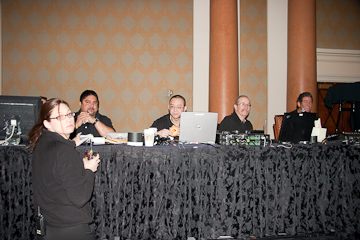
    The tech crew enjoys some breakfast before the morning keynote.
    The tech crew enjoys some breakfast before the morning keynote.

    Notes from TheServerSide Java Symposium March 2009

    Jon’s a fine fellow, but his talked (to me) seemed mostly to be stating the obvious.  I’ll just provide his “Rules to Code By:”

    • It’s the Business, Stupid
      Not all shiny new toys should be fondled
    • A fool with a tool is still a fool
    • Don’t mistake activity for progress
      Hard to get work done when you are always in meetings
    • Your team should hit a stride
      Development should feel cyclical and rhythmic
    • Be impatient
      Don’t tolerate waiting (for long)
    • Be lazy
      Don’t do tedious, mediocre chores over and over
    • Have fun — or take a break
  • “The Amazing Groovy Weight-Loss Plan” Scott Davis

    Notes from TheServerSide Java Symposium March 2009

    Scott Davis was the perfect presenter for the deadly “after lunch” session period. Interesting that his Groovy introduction is in a breakout room rather than the main ballroom, and there is not an empty seat in the house. Everyone is fascinated by these new powerful JVM languages, including me.

    Scott started by asking who was a Java programmer in the house, a silly question at a Java symposium. He followed by asking who were Groovy programmers, and two or three hands went up. Followed by “Aha! Just by adding one JAR file to your classpath, you’re all Groovy programmers too.”

    He immediately quit using slides, and went directly to live coding. Fabulous for a software talk! He started with a one-line “Hello, World” and then moved on to show off Groovy’s object and dynamic type features.

    He’s using javap to explore groovy-created class files and show how the underpinnings relate directly to the Java infrastructure.

    Admittedly, these powerful JVM languages are very seductive. They call them scripting languages, and yes, they’re great for scripting. But full powerful languages like Groovy, Scala, JRuby, Jython, and even JavaFX have enormous potential. I’m being torn in about five directions for new projects.