The cruise went non-stop from San Francisco to Ketchikan, which involved two days at sea. About 36 hours of the cruise were spent in 15-foot swells, which made for quite a rolling shuddering ship and a lot of dramamine patches given out by the medical staff. Luckily Jane and I aren’t susceptible to motion sickness, and mostly just enjoyed being rocked to sleep in our stateroom.
I joined a bridge game for the first time since 2000, and dusted off a little of my bridge muscle memory. I played two games with a delightful 70-year-old lady from near Austin, TX.
Ketchikan is a scenic town, and I’ll have lots of pictures for Day 4 of the photo album. Right now there are at least four giant cruise ships berthed at the town, and the merchants are busy sucking every dime out of them they can manage.
Internet access is available on the ship. You can buy packages for as little as $0.35/minute if you buy $175 worth, or pay $0.75 per minute pay-as-you-go. I think I’ll be content to visit internet coffee houses on our shore stops.
Next stop is Juneau, AK, and hopefully new pictures from there.
It’s been several weeks since NASA launched Atlantis to service the Hubble Space Telescope. Watching the launch, I heard several calls that made me sit up in my seat. You probably didn’t hear them. Watch it with me here:
Listen to the audio …
At 0:49 into the video, about 15 seconds into the launch, CAPCOM says “Bypass across the board Scooter, no action!”
Wow! I was just imagining what the flight controllers must have been seeing. This is what I heard in my mind as he said that, “Yes we see that you have multiple warning lights and alarms going off, but don’t do anything!” Holy crap!
Listen again at 1:20 into the video, “Atlantis, Houston, No action on the MPS H2 Out key.” In other words, “Yes, we see that additional warning, but don’t do anything about it.” Scooter called back, “Houston, we copy, no action.”
(I can’t believe at 3:20 in the video the public affairs guy (“Mission Control Houston”) says “No issues heading to orbit.”)
At 3:40 into the video, Houston calls up with some explanations for the earlier calls, “Atlantis, Houston, H2 out key is a ducer only, and the ASA-1 is a power only.”
“Copy ASA-1 is power only, and the H2 is ducer,” called back Scooter.
Later on in the post-launch press conference, we got to find out what was going on, and this article on nasaspaceflight.com had a lot more detail:
“A post launch review of the data showed that the failure seemed to have occurred two to four seconds prior to liftoff after main engine ignition and the resulting shake and bake. An EPD (Electrical Power Distribution) review of their BMU data of Main Bus A shows that Main A bus saw a 400 hz signal with a peak to peak of 100 amps. EPD is going to look at the Main B data next.
Wow! I had to wonder if that was a typo. 100 amps of current at 400 hz shorting into an avionics bus! No wonder several warnings and alarms went off.
Later the Flight Director had the commander turn off the power to ASA-1, which is one of four Aerosurface Servo Amplifiers on the orbiter. These are critical components that actually power the rudder and elevons during aerodynamic operations (flying in the atmosphere). With three remaining, they could continue the mission, but another failure would call for an immediate de-orbit.
The other interesting call was related to a transducer (“Ducer” in NASA-speak) that monitors the pressure of the hydrogen being fed to the main shuttle engines. That’s the “H2 out key.” If that warning lights, it could mean that one of the three engines is suddenly not getting enough fuel pressure.
So why did the controllers call “No action!”?
I can almost feel the heart pounding of a “steely-eyed missle man” monitoring all of the systems. One warning by itself is not a drastic call to action. They could see that all of the other systems were functioning correctly, and most importantly, the flight dynamics and performance of the craft as a whole were safe and correct. Doing something could have been a bigger disaster than doing nothing.
The H2 out key warning was a simple call. The controller can see immediately that all three engines are still producing their normal thrust. In the press conference someone pointed out that if there were a real problem, Scooter would have felt it in the seat of his pants, big time. The problem there wasn’t with the H2 pressure, it was with the transducer. “H2 out key is a ducer only.”
But that ASA-1 problem is still a concern, and even today, while Atlantis is in California being mated to a 747 for ferry operations back to Kennedy, technicians are crawling through the orbiter trying to diagnose the problem. They suggest that a power wire shorted to ground, which fed all that current directly into the bus ground. That would make a lot of systems go a bit funny.
Hats off to the guys behind the screens in Houston. I know hardly anyone shared in those few moments of heart-pounding pressure, but a few of us heard what you were dealing with. Because of your heads-up attention, we can today look back and call it a nearly flawless mission.
If nothing else, for me it was an interesting foreshadow to a mission that would be as dramatic in its problems and solutions as any I’ve seen.
[Edit: The video I was linked to was made private by the uploader, so I found another copy and updated the time notes in the post.]
Making them smoothly takes a little practice, so I thought I’d pass on my pointers. I use a Canon 20D and Panorama Factory.
Panorama Factory is so good at stitching together the pictures, you really don’t need to make any special effort at leveling the camera. No tripod is required, just turn and shoot. But a little preparation pays off later.
Once I’ve found a spot to take a panorama, I mark the beginning by taking a black frame: Turn off auto-focus, put the camera in manual exposure mode, then cup my hand over the lens to make a black frame.
The pano pictures will blend best if they all have the same exposure. I’ll use the built-in light meter while panning around the scene, and try to pick a median setting that doesn’t go more than one stop or so toward over or under exposing. In a lot of scenes with a brightly lit portion, this might be a challenge.
I try to avoid using the widest-angle setting of my lens to avoid any vignetting, and like to choose a “50mm equivalent” focal length, which is 35mm on my Canon 20D. You might also turn off auto-focus to keep the camera from suddenly focusing close if you sweep across a foreground object.
You don’t always have a horizon line, but it’s a handy reference if you do. My Canon 20D has auto focus targets in the viewfinder that serve as a nice leveling tool. Work from left to right and give each shot a little overlap. That’s about all the care you need to take.
I’ll end the series with another black frame. Don’t forget to put your camera back into auto-focus and your preferred exposure mode. A low ASA setting will help keep the noise low.
I shoot all my pictures in RAW mode, so they have to be processed into JPEGs. I use Adobe Lightroom for that. Generally if the exposure and white balance look good, the pictures shouldn’t need any adjustment. If some adjustment is needed, the panorama will come out best if you can apply the same adjustment to all of the photos. Lightroom’s copy and paste settings feature is useful for this.
Once you have your collection of individual shots, you can start through Panorama Factory’s wizard to begin stitching them. Since you shot from left to right, the filename order will be correct when you import them to Panorama Factory.
(I’m still using V4 of Panorama Factory, so some of these settings might have changed, but I’m sure the basics are still valid.)
Remember you can import all of the pictures with one step, by doing a multiple-select in the file browser. (I always make an individual work directory for the pano pictures.)
After the import, select “Fully automatic” photo stitching, set the camera type, and yes to “Automatically detect focal length.” DO select “Correct barrel distortion,” and DO NOT select “Correct brightness falloff.”
Yes, do select “Automatically fine tune.” But do NOT take the recommendation to allow Panorama Factory to do exposure matching or exposure correction. You took care of exposure matching at the time you took the shots by selecting one manual exposure for all of the pictures. And, at least in V4 of Panorama Factory, I’ve found that it tends to posterize the image when it does any exposure adjustment.
Say “yes” to sharpen the final image. I use a setting of 50%, but feel free to experiment.
For an output format, I select “Image file only,” and set either “Partial” or “360 degree” panorama as appropriate for the series.
Here’s one note, if you select 360 degree panorama, and you have a full overlapping frame on each end, Panorama Factory sometimes does not find the 360 degree point and duplicates part of the image. Deleting one shot from the pano on either end will solve the problem.
I typically use the “Spherical projection.” Not sure why. 🙂
I have other tools for printing, so all I want out of Panorama Factory is the image. I’ll select “Prepare image for internet display” and “Maximum size.”
Now when you click “Next,” Panorama Factory will work its magic for a few minutes. Save the image at the end. When it’s all done, I’ll use Photoshop or VuePrint to make thumbnail versions for my photo album, usually 800 pixels wide.
Admittedly I need to try this with V5 of Panorama Factory, but I bet the process will be close.
Once you develop a rhythm for making panos, you’ll enjoy making more of them. I always take the laptop along on a road trip, and frequently I’ll make the panoramas right there in the car while Jane drives.
I’ll try to make another post on how I mix them into a JAlbum photo album.
What do herpetologists and astronomers have in common?
They both like going out on new moon weekends: astronomers to find faint fuzzies, and herpetologists to find nocturnal reptiles.
Last year in October, Jane met herpetologist Hanna Strauss at an event in Mojave National Preserve, and the two of them resolved to get together again on a new moon weekend. We did that this past weekend, the new moon weekend of April 2009.
Windy Friday Night
"Telescope Pad" and our tent set up Friday evening at Black Canyon Group Camp.
Jane and I departed Monrovia on Friday, April 24, just before noon, and were the first to arrive at Black Canyon Group Camp at about 4:00 p.m. The astronomy forecast for Friday was pretty bad; there was a persistent thin layer of clouds that made the sky a little more like Los Angeles sky than desert. We were able to coax out some fair views of Saturn and some of the bright double stars.
Jane went out “herping” with Hanna and came back to report finding several varieties of snakes on Black Canyon Rd.
The worst part of the evening was the wind. We knew it was coming; it was all over the forecasts. I was first to climb into my tent with the wind not being too bad, but around midnight, it really turned into a gale. Jane and I were warm and comfortable in our sleeping bag, and the tent was firmly staked down, but there was little sleep to be had that night!
We could hear the gusts approaching, echoing off the smooth canyon walls, sounding a little like an approaching jet. It went on ’til almost sunrise. The tent managed to hold up, but our old tent already had a front door zipper that would not close well, and our front door was soon hanging by a couple of zipper pulls. Fortunately the door was facing away from the wind.
The stakes held all night. I kept half-expecting the tent to rip apart, but it held. The wind would blow it almost horizontal onto our heads. A few equipment boxes lost their lids. Amazingly everything was recovered, and nothing seriously damaged — though we heard the next morning that our telescopes were blowing around like weather vanes.
Saturday Exploring
Aligning finders using yucca plants on the distant mountain ridge.
Big groups are difficult to keep to an early schedule, and the lizards won’t wait. We got everyone together for a walk across the road to Hole-in-the-Wall. We found several small lizards, and had fun crawling over the interesting formations. Several of the group took off to explore Mitchell Caverns, and Jane and I joined another group to drive through the park.
We stopped along the way at a dense joshua tree forest, at the Kelso Depot, and walked the Kelso Dunes trail. After visiting Baker for ice cream and gas, we drove back on paved roads (94 miles) to the group campsite.
This evening was looking a lot better for astronomy. The sky was crystal clear. The seeing forecast was poor, but the actual seeing was good enough to see dust lanes in galaxies.
Everyone enjoyed seeing Saturn, of course. I really enjoyed seeing a strong zodiacal light in the dark transparent sky. The site is very dark, with a fairly strong light dome to the north from Primm. It’s galaxy season, and I enjoyed showing the big Ursa Major galaxies M81 and M82, the bright Leo pair M65 and M66, beautiful edge-on NGC4565, face-on spiral M51 the Whirlpool, M104 the Sombrero, and the Virgo galaxies near M64 and M66.
What About Tortoises?
Tortoise three has been chowing down, or likes green lipstick.
On Saturday evening, I didn’t go out herping. The group that did came back saying they’d been skunked.
“What, you found skunks?” I asked. No, they hadn’t found anything!
So we’d spent the whole weekend without seeing any of the desert tortoises Mojave National Preserve is famous for. It hardly mattered, as we’d had an adventurous and interesting weekend with great company.
On Sunday morning we were among the last to be packed and ready to go along with Gary and his daughter Catherine. Jane was driving, and we were heading out of the park down Black Canyon Rd. We both saw a tortoise naively sitting in the oncoming lane about four miles from Hole-in-the-Wall. Jane quickly stopped, as did Gary behind us.
We debated what to do with a tortoise not wanting to move, sitting right in the middle of a traffic lane. We vowed to see him safely off the road, and fortunately there was no traffic. Eventually Jane was able to help him off the road, and we left him in safety.
Two more times we stopped for tortoises on Black Canyon. These two were up and walking around, and out of harm’s way at least for the moment. Everyone got pictures, and Jane took some great video.
Once more we stopped for a tortoise shell on Essex Rd. before leaving the park. This one turned out to be a decoy, with a flier attached advising motorists to keep an eye out for tortoises on the road, and drive carefully and slowly through the park.
Photo and Video Album
Jane and I both shot a lot of pictures over the weekend. It’s not art-house photography by any means, but there are a lot of fun pictures. I enjoyed making a couple of panoramas: one of the group camp before anyone else arrived, and one of the Kelso Dunes from the dunes trail. With the laptop in the car, I was able to make panoramas and start the photo album. I uploaded a first draft from a Starbucks in Barstow.
On Sunday Jane shot some short videos of our three tortoises. The first tortoise wasn’t terribly interesting, just sitting in the middle of a traffic lane. The other two, included in the album, are quite animated and fun to watch.
One short epilogue about our Friday night gale. Our valiant tent kept us protected; it bent but never broke. It did have a funny shape on Saturday morning. When I took it down on Sunday, a couple of the metal sleeves that hold the support rods of the tent had deformed. It’s time for a new tent.
My wife’s little point-and-shoot Canon SD870 makes some splendid video. The full-res versions are motion-JPEG files stored as an AVI. It doesn’t take very long to eat up a lot of megabytes.
It’s not very practical to share our video on a web site in its raw form. By converting the AVI video to Flash, you can take advantage of modern video compression to make serving the video to friends and family practical and convenient.
(Of course you can always upload the raw file to YouTube and let them do the conversion, but I like owning my content and serving it from my own site. Why prop up Google’s coffers with your content?)
My favorite photo album creator JAlbum will let you drop a Flash video file into a photo album folder. It will do all the set-up with the flash player.
So the first step is to convert your massive raw video into Flash. I use the free open-source command line tool ffmpeg.
FFmpeg is mostly provided with Linux distributions (if you run Linux you may already have it on your machine). If you want to use it on Windows, you have to put in a little extra effort.
This site http://ffmpeg.arrozcru.org/builds/ has ffmpeg builds for windows. Download the latest from the top of their page, ffmpeg-latest.tar.bz2. To unpack it, you’ll need a gnu tar implementation as well, which is available here: http://gnuwin32.sourceforge.net/packages/gtar.htm. (In a future post I’ll provide some suggestions for keeping command line tools and your execution path organized.)
Once you’ve extracted ffmpeg.exe and placed it somewhere on your path, you’ll be able to convert the AVI files to Flash (H.264) video, but the options and documentation for ffmpeg are pretty daunting. It is truly a swiss army knife of media conversion tools.
I spent some time researching recommended encoding parameters intended for typical medium-speed broadband downloads. This article from Adobe had some very good guidelines for selecting encoding parameters for typical web video.
Armed with this information, I am able to generate Flash video .flv files from Canon’s AVI video files. FFmpeg is also useful to extract a still frame from the video to be used as a thumbnail image for JAlbum.
Here is my command line to convert the Canon AVI videos to Flash video suitable for posting:
That’s what I use in a batch file to transcode an AVI file. The %1 is the base filename of the video without the .AVI extension. This sets an audio bitrate of 44,100 bps, a video size of 320×240 (QVGA), a frame rate of 29.97, and a video bitrate of 575 kbps. The “keyframe interval” is the one recommended by the Adobe site above.
The next line of my batch file extracts a frame from the video to use as a thumbnail, and saves it as a JPEG image:
This grabs a frame from three seconds into the video. If you want a “middle” frame, you’ll have to do the computation on the run time of the video.
(Obviously you need to replace the \path\to part to the actual path to your copy of ffmpeg.exe.)
Those two lines in a batch file are a good start. I’ll run the batch as, for example:
mkflv.bat MVI_8243
That will leave behind MVI_8243.AVI, MVI_8243.flv, and MVI_8243.jpg.
We’re almost done. When you drag the Flash file into a JAlbum folder, JAlbum will look back in the original directory for a thumbnail image. The thumbnail should be a JPEG file, but it needs to have the file extension of .THM instead of .jpg. So my batch file includes the following two lines as well:
del %1.THM
rename %1.jpg %1.THM
That deletes an existing thumbnail (which is generated by the camera in my case) and replaces it with the ffmpeg extracted frame.
I use the Chameleon skin for JAlbum, and Flash video support might be highly dependent on your skin.
So my family all converged on Atlanta, GA, this past Easter weekend to spend some time together, and naturally it was a great occasion to take a lot of pictures. Jane used her Canon to shoot some fascinating video of a major hail storm that passed through on Friday evening.
I used this technique to transcode the video into Flash, and posted them in the fourth folder of the album. See for yourself how it turned out.
The Messier Marathon seems like a silly exercise, but it’s certainly fun. Jane and I were introduced to our favorite dark sky desert observing site five years ago when Don Machholz invited us to join him for a mid-week Messier Marathon.
Big dobs set up for the Messier Marathon under clear steady blue skies.
We’ve logged 108 and 109 of the 110 objects a couple of times, but this year looked like it could be our best opportunity to log all 110 objects in one evening. The Desert Center Clear Sky Clock along with the NOAA forecasts offered a clear dark transparent sky all evening with excellent seeing — a rare combination.
The most challenging early twilight objects are difficult, but our site is far enough south, with good western horizons, that Jane and I were just able to detect M77 and M74 before they set. With those in the bag, a 110 night seemed like a sure thing. This late in the month, M30 should rise well enough before dawn that we’ll be able to see it.
I was armed with a stack of custom charts from Skytools 2 for my 14.5-inch dob, and Rob Hawley’s Messier Marathon guide. Jane was working from a similar stack of Skytools charts that I’d made two years earlier — luckily none of the Messier objects had moved in that time.
Stacks of charts and checklists ready for the marathon.
The Virgo galaxy cluster is probably the most challenging mid-evening observing puzzle. It’s easy to get lost in the broad stretch of sky with hundreds of galaxies and a seeming dearth of guide stars. Finding galaxies isn’t the difficulty, it’s identifying which is which.
Most MM guides recommend an eyepiece-based star/galaxy hop that moves from a major guide star to each of the target galaxies in step. I’ve used this technique successfully in the past, but this night it didn’t work out. I think the galaxy-hop is optimal for a smaller telescope with about 50x power and a 2-degree field of view. This helps keep you from getting lost by showing more context and fewer faint galaxies.
I fell back on my individual Skytools finder charts, and was able to finish all of the Virgo objects. After bagging southerly M83 at about 11:00 p.m., I tucked into a sleeping bag and set my cell phone alarm for 2:00 a.m.
(Click for full size) Example individual Skytools chart from my session, showing naked eye with Telrad circle, finder view, and eyepiece view, all customized for my finder, telescope, and eyepiece. On each chart I write the observation time and any notes with a Sharpie.
When the ringing phone woke me, I looked out of the van to see what looked like a milky sky. “That can’t be!” I thought. I could still see a few stars, maybe it was just a trick of my dark adaptation.
The morning sky at our desert observing site.
Jane was still at it when I stumbled out of the van to give me the bad news. There were still enough sucker holes for me to nab the Ophiucus clusters, but by the time I finished the Ring Nebula the sky was completely gone. This picture of the pre-dawn sky shows what it was like.
I finished the night with 76 objects logged. Jane managed to log 82, stealing clear sky opportunities while I slept. All in all, we had a great night in the desert, and the clouds forced us to get a little extra sleep.
My favorite neglected object from the list: M47 with its little embedded planetary nebula.
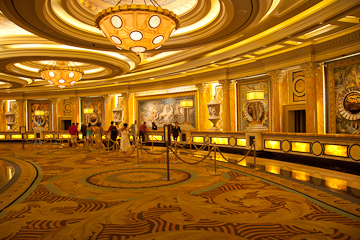
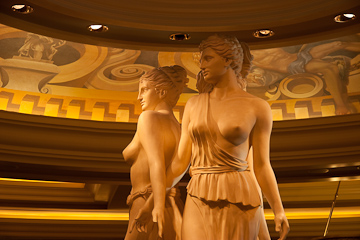
This past week, my wife and I spent four nights in a deluxe room at Caesar’s Palace in Las Vegas. I was attending TheServerSide Java Symposium, and she went along for three days of pampering and relaxing.
Caesar’s is a fine place, a grand old warhorse of the Vegas strip. It’s probably known good times on its own, but is now part of the Harrah’s conglomerate of gaming properties.
While the building seems tired, it’s clear that it has seen much refreshing and remodeling over the years.The gaming and shopping areas are opulent and clean, with very attractive eye-candy sight lines throughout the property. In the rooms, the marble bathrooms are luxurious, and the suite appointments are in good condition.
(It amazes me that they fill the suites with flat widescreen TVs, but can’t manage to feed them with any high-definition content. The delivered video quality is really bad. The same is true for the giant standard-def projectors in the sports book.)
So why do I feel uncomfortable at Caesar’s Palace?
Everywhere you go throughout the property, there are subtle signs that “we don’t want you here. You’re not good enough.”
Start with the key-locked gilded private elevator in my elevator bank in the Augustus tower. In the casino, everywhere you look are private exclusive gaming areas where you aren’t welcome. There are the empty lines for “Platinum” casino guests only, closed doors marked “7-star Registration,” a gold rope around the sports book seating for “VIP reserved” customers only. My wife drove back to the hotel on Friday to find the valet parking limited to “Platinum and 7-star guests” only.
Sure every big Las Vegas casino has its exclusive services for the whales, and private luxury gaming areas and apartments. Certainly you want to encourage people to play more, and perhaps tease them with the promise of forbidden pleasures.
But nowhere else on the strip have I been to a place where the number of closed doors seemed so plentiful or so obvious. Not at Harrah’s other properties, including the Rio, and Harrah’s Las Vegas. (Harrah’s casino is really a festival of the everyman.) The subtle hidden message is that Caesar’s is mostly for the whales. We might let you walk through our halls and play at our slots, but we really don’t want you here.
Okay Caesar’s, I get the message!
P.S. This should not reflect at all on the fine employees at Caesar’s who made our stay very pleasant. Nor on the top-notch convention facilities and services provided for TheServerSide. Indeed Jane and I left a few personal items behind in our room, and I’m certainly grateful for the time taken by their staff to bundle up the package and forward them. I think the subtext I write about above is built into the very bones of the place. It’s just how it is. — Mojo
Notes from TheServerSide Java Symposium March 2009
What’s the point of a bean validation framework? I’ve been wondering that for a while now. Emmanuel points out that it’s mostly to keep from repeating yourself in code.
Validation itself is obvious … keep crap out of the database, apply constraints to data fields, give feedback to users.
Where do we apply validation constraints? Take a typical application stack:
client -> presentation layer -> business layer -> data access layer -> database
He begins by giving several examples of how constraints are applied to day, down to the DDL in the database which might specify a column length and a “not null” constraint. These constraints are typically duplicated all the way up the application chain, and really bad when the constraints don’t agree!
He proposes a uniform way to express a constraint, a standard way to validate constraints, and a bridge for constraints out of Java land, exposing constraints to the outside world.
Annotations are the key, extending the type system, right next to the class definition. Hence JSR 303 for bean validation. Example field annotations for validation:
@NotNull
@Size(max=30, message="longer than {max} characters")
The spec also calls for validating subsets of data fields by specifying groups, or partial validation. The spec defines groups by using interfaces. Clumsy, but workable.
Custom constraints can be built out by creating a custom annotation with an expressive name, extending the @Constraint type. You can compose a group of existing validators from the library into a new annotation.
(So far I’ve only been a consumer of annotations. Maybe soon it will be time for me to start creating them as well. I usually try to avoid meta-programming, even though it can be fun.)
Notes from TheServerSide Java Symposium March 2009
Jeremy is going to help us battle complexity in web applications. (It’s hard to find a web framework that isn’t its own layers of complexity.) He’s the lead for Spring Faces, Spring JavaScript, and a JSF 2.0 expert group member, and he’s a former “rock star.”
The Spring Web stack is a collection of open source projects that provide infrastructure for developing and running Java web applications. You can pick and choose the pieces you need, and it works on any server platform.
Spring Framework and Spring MVC are the common foundation. On top are Spring Web Flow, Spring JavaScript(!), Spring Security (formerly Acegi), and on top of that, Spring Faces (JSF integration support) and Spring BlazeDS Integration (brand new, integrates Flex clients with the back end).
Here are some new features being introduced with Spring 3.0.
Spring Framework and Spring MVC
The new support that I really like is a URL paradigm that acts more like RESTful web services. URLs become meaningful, and identify a heirarchy right into your domain model.
URL examples:
/hotels would render a list of al hotels
/hotels/westindiplomat would give hotel details
/hotels/westindiplomat/bookings a list of bookings
/hotels/westindiplomat/bookings/4325324 a specific booking.
Query variables become less significant, and primarily input for algorithms. They tend to get ignored by proxies, and often abused.
The key to these RESTful URLs are URI Templates containing variable names, for example /hotels/{hotelId}. Supported in Spring 3.0 with the @PathVariable annotation, which allows you to use URI templates in MVC.
This is really nice! Controlling URLs nicely is a frequent complaint of mine in typical Java servlet frameworks. Adopting RESTful URL patterns is friendly, readable, and makes a lot of sense. Cut down the use of parameter variables, and put the domain IDs right into the URL path.
He also showed new view features for content negotiation, new views like and RssFeedView, and ways to support all four standard HTTP verbs from the client (PUT and DELETE as well as GET and POST). (Now you can use <spring:form method=”delete”/> for instance.)
Spring JavaScript
Spring’s Ajax integration library, builds upon the Dojo toolkit. The “key value proposition” builds in usage best practice, makes Dojo easy to use for common Ajax scenarios. (I thought Dojo was already pretty easy to use. Do we need another layer of abstraction?)
Spring Web Flow
Web flow is primarily a framework for implementing user dialogs, guiding a user through a business process. Things that are session-related and stateful. Key feature is a high-level flow definition language using XML and EL. Plugs into Spring MVC. (Not sure I see the value here yet.)
Spring BlazeDS Integration
Newest project being introduced with 3.0. Connects Flex client to Spring-managed services using BlazeDS transports. They claim it makes Flex natural in a Spring environment. Integrates Spring Security to secure Flex apps. Provides support for real-time data push using Spring Integration.
Examples
He started walking through a new-style @Controller object with the @RequestMapping annotation marking one of their flexible controller methods. The <form> tags in his view are making use of the newly visible http verbs, like DELETE to remove a hotel booking.
Demonstrated some of the Ajax features of the Spring Javascript library. Uses the tiles API to only render the part of the page requested.
The walkthrough of the actual @Controller code with support for new features looked clean, incremental, and going in just the right direction incrementally.
So are we just adding complexity, or making anything simpler and easier? I don’t think I’ll know until I try it out.
BIRTExchange at TheServerSide (not related to the talk)
Notes from TheServerSide Java Symposium March 2009
Rob wrote his talk for EclipseCon which is next week, so we get an early peek. He’s the lead developer from dm Server at SpringSource.
I’m a complete noob to OSGi, so I’m not familiar enough to see what’s really important or significant in the talk.
Benefits of OSGi: System Partitioning, Dependency Management, Dynamism
He starts by taking his first simple partitioning of modules, and later breaking, extracting, and rearranging modules as required. Or it’s possible and desirable to fold modules back together.
I think the cool point of his talk is this osgi namespace in the Spring application-context files to import OSGi references and dependencies. The MANIFEST.MF file contains classpath dependencies, which I assume is a standard OSGi practice. But how should the MANIFEST.MF file be maintained?
The dependencies go into the Maven POM file, and the classpath dependencies for the MANIFEST.MF can be maintained automatically by an Eclipse plug-in. This makes the Maven POM file the single canonical source for dependency information.